

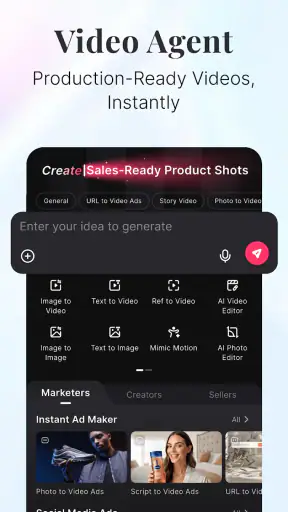
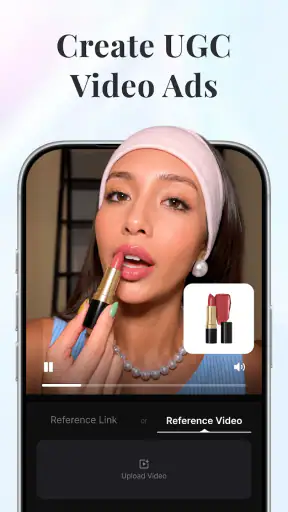
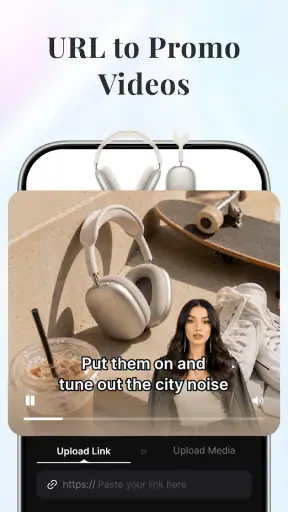
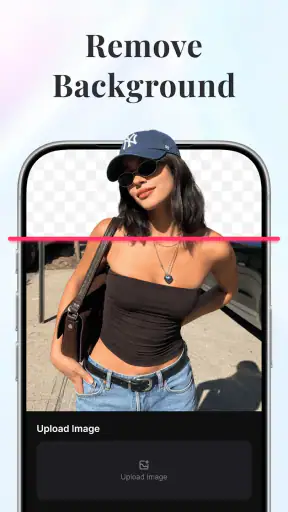
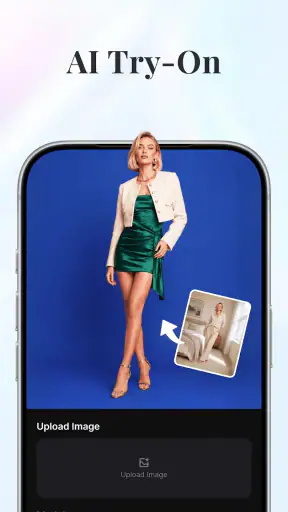
Pollo AI: AI Video & Image is an AI-focused creative app from COCOSOFT TECHNOLOGY PTE. LTD. I see it as a practical starting point for people who want to experiment with visual ideas without opening a full desktop editor first. It sits in the video players and editors category, but its appeal is less about traditional timeline editing and more about turning a prompt or an image concept into something shareable.
My first impression is that it is aimed at quick creative exploration. You do not need to be an experienced editor to understand the basic attraction: describe an idea, work from an image, and see where the result takes you. That makes it useful for social posts, mood boards, short visual experiments, story concepts, and casual entertainment. It is free to install, rated for Everyone, and the app has passed the one-million-install mark, so it is clearly designed for a broad audience rather than only professional creators.
At the same time, I would not treat it as a replacement for a complete video-editing suite. The strongest reason to try it is the creative shortcut. If you want exact cuts, detailed audio mixing, dependable brand templates, or frame-by-frame control, a conventional editor will still be the better tool. Pollo AI is more interesting when the difficult part is imagining a visual direction and getting a first version on screen.
Getting from installation to a useful first result
What the app is really good at
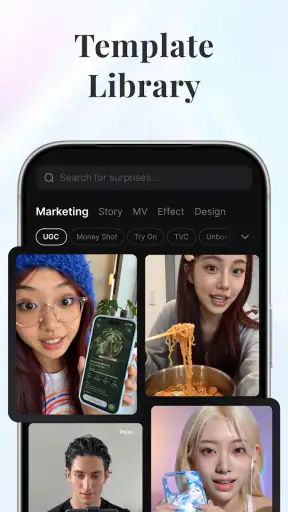
The store summary describes a focus on marketing, story, and design, and that gives a helpful clue about the best use cases. I would open it when I need a visual starting point, not when I already have a carefully planned production. A small business owner could use it to explore a product-promotion concept. A student could test the look of a story scene. Someone posting online could turn a simple idea into a more visually distinctive clip instead of relying on the same familiar editing presets.
The important distinction is between idea generation and finishing work. AI can help you move past a blank page, but the first output may not be ready to publish. I found it more productive to judge each result as a draft. Ask whether the mood, subject, and composition are moving in the right direction, then refine the request or try a different source image. Expecting a perfect result from the first attempt is the fastest way to become disappointed.
That draft-first approach also makes the app easier to understand. Rather than searching for every possible function immediately, I recommend choosing one small goal: create a visual for a short message, test a story atmosphere, or make an image feel more animated. A narrow objective gives you something concrete to evaluate and prevents the interface from becoming a collection of unexplained buttons.
Setting up without overcomplicating the first session
The current Android release is version 4.0.0 and supports Android 7.0 or later. Once installed, I would keep the first session simple: open the main creation area, look at the available starting points, and decide whether you want to begin with text or an existing image. If the app presents several creative routes, resist the temptation to test them all at once. Pick the one that matches your immediate goal.
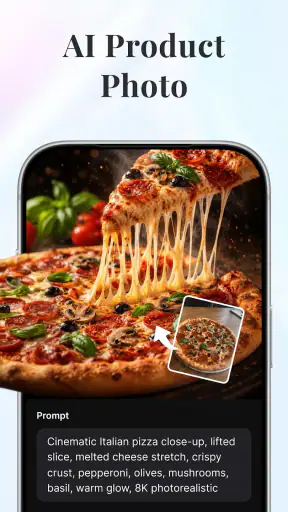
Before creating anything, prepare a short description with four useful parts: the main subject, the setting, the visual mood, and the action or result you want. For example, instead of writing a vague request about a “cool advertisement,” I would describe a small coffee shop at sunrise, warm colors, a welcoming atmosphere, and a short visual suitable for a social post. This gives the app a clearer creative direction and makes the result easier to judge.
There is also a practical reason to keep the first request modest. A complicated prompt can contain several competing ideas, making it difficult to tell which part went wrong. A focused request lets you learn how the app interprets your wording. After that, you can add one change at a time, such as a different atmosphere, a new setting, or a more specific subject.
New users should also pay attention to the difference between free access and optional spending. The app is free, while in-app purchases range from $3.99 to $849.99 per item. That is a wide range, so I would examine any purchase screen carefully before confirming anything. The sensible habit is to explore the free experience first, understand what kind of output you actually need, and only then decide whether a paid option solves a real problem for you.
The quickest route to a first meaningful success
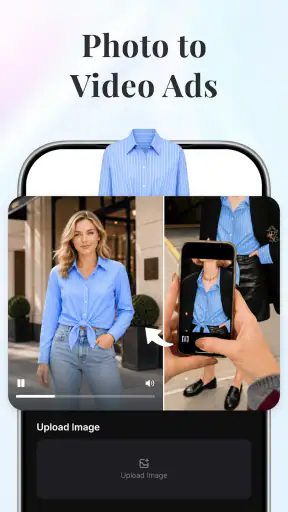
For a first attempt, I would use a single clear subject and ask for one visual transformation. If you have a photo, choose one with a distinct main subject and a reasonably uncluttered background. If you are starting from text, describe one scene rather than an entire story. The goal is not to make a complete campaign immediately; it is to produce one result that shows you how the app responds.
After the first generation, compare the output with your original intention. Did the subject remain recognizable? Does the mood fit? Is the composition useful for the place where you plan to share it? These questions are more helpful than simply asking whether the result looks impressive. An unusual image can be entertaining but still fail as a poster, thumbnail, or story illustration.
One of my favorite ways to use this kind of tool is to create variations before choosing a direction. I might keep the subject constant while changing the setting or tone. This is more efficient than trying to describe every detail in one request, and it can reveal which visual direction is worth developing. The trade-off is that experimentation takes patience: AI creation is quick compared with manual production, but useful selection still requires human judgment.
A second practical workflow is to use the app before a traditional editor. I would generate a visual concept in Pollo AI, select the strongest version, and then move to a familiar editor for trimming, captions, music, or final layout. This division of labor makes sense because the AI app handles the imaginative starting point, while a conventional editor handles predictable finishing tasks.
Where first-time users may become confused
The biggest source of confusion is likely to be the difference between an attractive preview and a finished communication piece. A generated image or video can have an appealing atmosphere while still containing awkward details, an unclear focal point, or a style that does not match your intended audience. I would always inspect the result at the size where people will actually see it, especially if it is meant for a small phone screen.
Another common misunderstanding is assuming that a longer or more elaborate instruction automatically produces a better result. In practice, extra wording can bury the important idea. I recommend placing the subject and desired action first, then adding only the visual details that genuinely matter. If the result misses the point, rewrite the request rather than endlessly adding adjectives.
It is also worth separating creative control from creative influence. You can guide the direction with your wording and source material, but AI output is not the same as manually positioning every element. That makes Pollo AI exciting for discovery and less suitable when a client, teacher, or brand requires exact compliance with a reference design. For precision work, I would use it for concepts and alternatives, not as the sole production tool.
Users should think carefully about source images as well. If you upload a personal photo, a family picture, or an image connected to someone else, make sure you are comfortable using it in an AI-based creative workflow. I would avoid treating other people’s images as disposable material, especially when the result might be shared publicly. This is not a technical limitation of the interface; it is simply responsible practice when working with visual content.
Realistic everyday uses
Imagine you run a small local bakery and want to announce a seasonal item. You may not have a photographer or time to build a complete visual campaign. I would use the app to explore a few moods for the announcement, perhaps a warm tabletop scene, a playful illustrated direction, or a cleaner design concept. The result may not be the final advertisement, but it can help you decide what the advertisement should feel like before you spend time editing it.
For a student writing a short story, the app can serve as a visual brainstorming partner. Instead of searching for a generic reference image, the student can test how a location, time of day, or emotional tone might look. The useful outcome is not only the generated picture; it is the clearer understanding of the story’s visual identity.
For casual users, the appeal is simpler. You can take an ordinary idea and see how it changes under different creative directions. That makes the app suitable for playful posts, personal projects, and experimentation. I would recommend saving the strongest versions with a clear naming habit, because creative tests can quickly become difficult to distinguish once you have made several variations.
How it compares with familiar alternatives
Compared with a standard mobile video editor, Pollo AI is less about manually arranging clips and more about helping you discover what the clip or image could be. A traditional editor gives you predictable control over timing, transitions, captions, and sound. That is the better choice when your footage already exists and the job is to assemble it cleanly.
Compared with a simple image-editing app, this tool is more appealing when you want a new visual direction rather than a small correction. Conventional image editors remain stronger for cropping, color adjustments, retouching, and repeatable layouts. If your task is to make ten product images follow the same exact template, I would choose a tool built around consistency.
Compared with professional desktop software, the advantage is accessibility. You can begin with an idea instead of learning a large editing environment. The compromise is control and predictability. Professionals who need dependable output specifications, detailed compositing, or a carefully repeatable workflow may find the app better as an ideation companion than as their main studio.
The rating sits at a 4.2 average from around 41 thousand ratings, with more than 300 written reviews. I read that as a sign of broad interest rather than proof that every creative result will suit every user. People who enjoy experimentation are likely to appreciate the immediacy, while users expecting a conventional editor may judge it by the wrong standard.
Costs, expectations, and who should skip it
The free entry point is useful because it lets you understand the creative process before committing money. Still, the purchase range means I would not begin with a vague plan to “see what happens.” Decide what you are trying to make, test the workflow, and watch for any limits or upgrade prompts as you work. A paid option is easier to evaluate when you know whether it improves a task you genuinely repeat.
I would skip this app if your priority is exact manual editing, a fully controlled professional pipeline, or dependable batch production. I would also avoid relying on it for important public-facing material without checking every detail yourself. AI-generated visuals can save time during exploration, but they do not remove the need for proofreading, visual review, and audience awareness.
On the other hand, I think it is a strong candidate for first-time creators who feel blocked by a blank canvas. Its Everyone age rating and approachable concept make it easy to recommend for general experimentation, provided younger users have appropriate guidance around sharing images and making purchases. The developer, COCOSOFT TECHNOLOGY PTE. LTD., has positioned the app around creative use rather than a narrow professional niche, and that broad focus is part of its appeal.
My recommended beginner workflow
I would begin with one goal, one subject, and one visual mood. I would create a first version, inspect it critically, and then change only one part of the request. Once a direction looks promising, I would use the result as a concept for a normal editing app if I needed captions, precise timing, or a polished final export. This workflow keeps Pollo AI in the role where it is most valuable: helping me move from intention to visual possibility.
I would also keep a small record of the wording that produced useful results. Not every successful request will be reusable, but noting the subject, mood, and important constraints can make later experiments more deliberate. The best improvement is often not a more complicated instruction; it is remembering which kind of description gave you a clear, usable outcome.
Finally, I would judge success by usefulness rather than novelty. A strange image may earn a reaction, but a clear visual that supports a story, announcement, or design decision is more valuable. That mindset prevents the app from becoming an endless stream of random generations and turns it into a practical creative step.
My final view
After using it as an idea-to-visual tool, I see Pollo AI: AI Video & Image as a friendly entry point for creative experimentation. It is free, works on Android 7.0 and later, and its current version is 4.0.0. The broad audience, simple premise, and focus on marketing, story, and design make it worth trying if you want help getting past the first blank screen.
My recommendation is to treat it as a creative launchpad, not a complete editing replacement. Start with a small request, inspect the result carefully, and use a traditional editor when you need exact finishing control. If that sounds like the workflow you want, the app can make early-stage visual work more approachable. If you need precision above all else, you will probably be happier starting with a conventional editor and using AI only when you need new ideas.


